
ETF screener for iPhone
Understand any ETF before you buy.
Answer a few plain-English questions. See the funds that fit you, and exactly why. Open up what's actually inside, track the funds you hold, and simulate your investment, all on your device.
The problem
You keep hearing "just buy an index fund." But which one? And what's even in it?
There are thousands of ETFs and a wall of jargon, expense ratio, AUM, tracking error, distribution yield. So most people do one of three things: buy something blind and hope, freeze and miss out, or feel too embarrassed to ask.
You don't need someone to tell you what to buy. You need to actually understand what you're looking at, what's inside it, whether it fits you, and what the numbers mean, so the choice feels like yours. That's the whole reason WhatETF exists.
Show me howVanguard Value ETF
See it in action
Watch a fund go from a ticker to something you actually get.
Tap any ETF. In a few seconds you go from a mystery four-letter symbol to a plain-English picture of what it is, what's inside it, and how it has behaved.
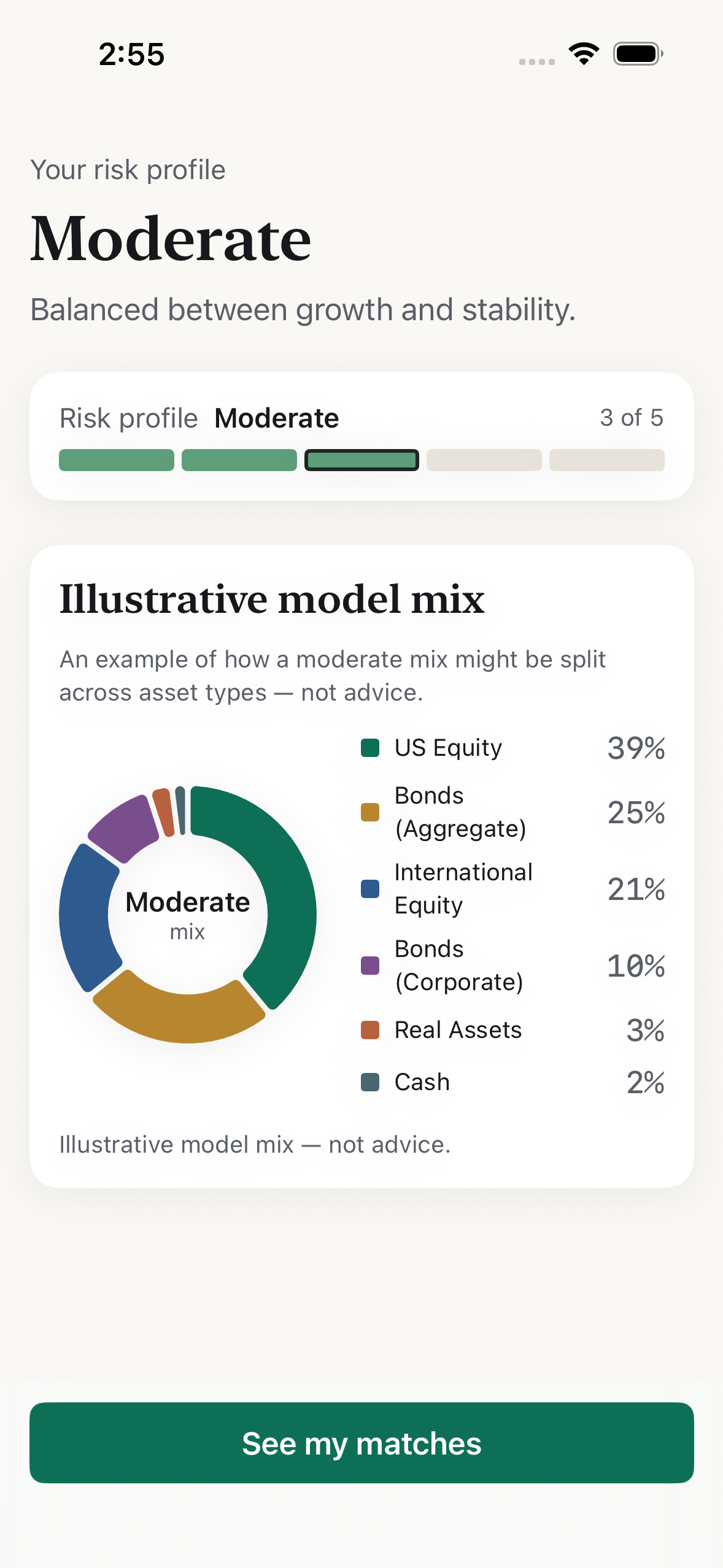
Ask, don't guess.
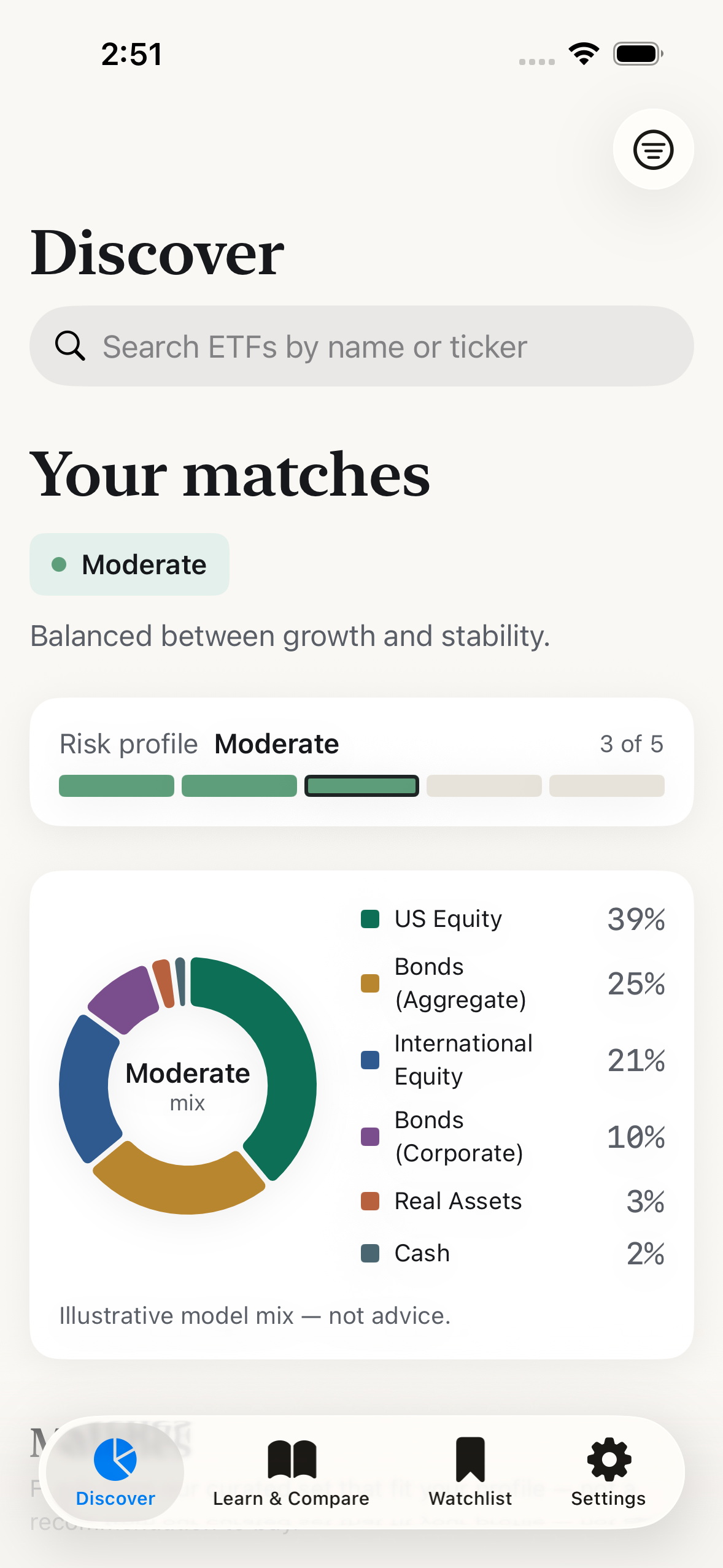
A short, plain-English questionnaire, under a minute, entirely on-device.
Meet your matches.
Funds that fit the risk profile you set, each with a 0–100 fit score.
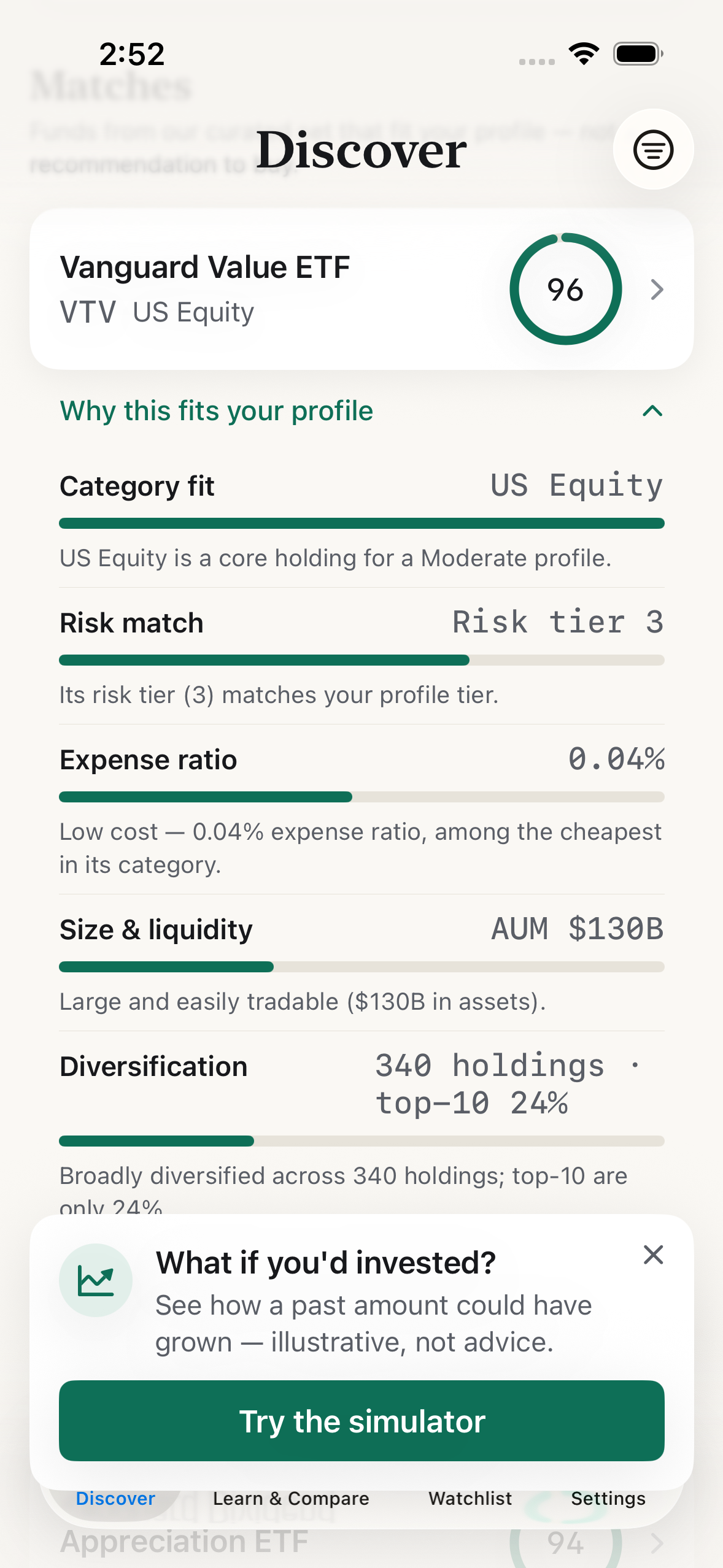
Open the black box.
See why each fund fits, factor by factor, plus what's actually inside.
Portfolio tracker
Track the funds you hold, and see your value over time.
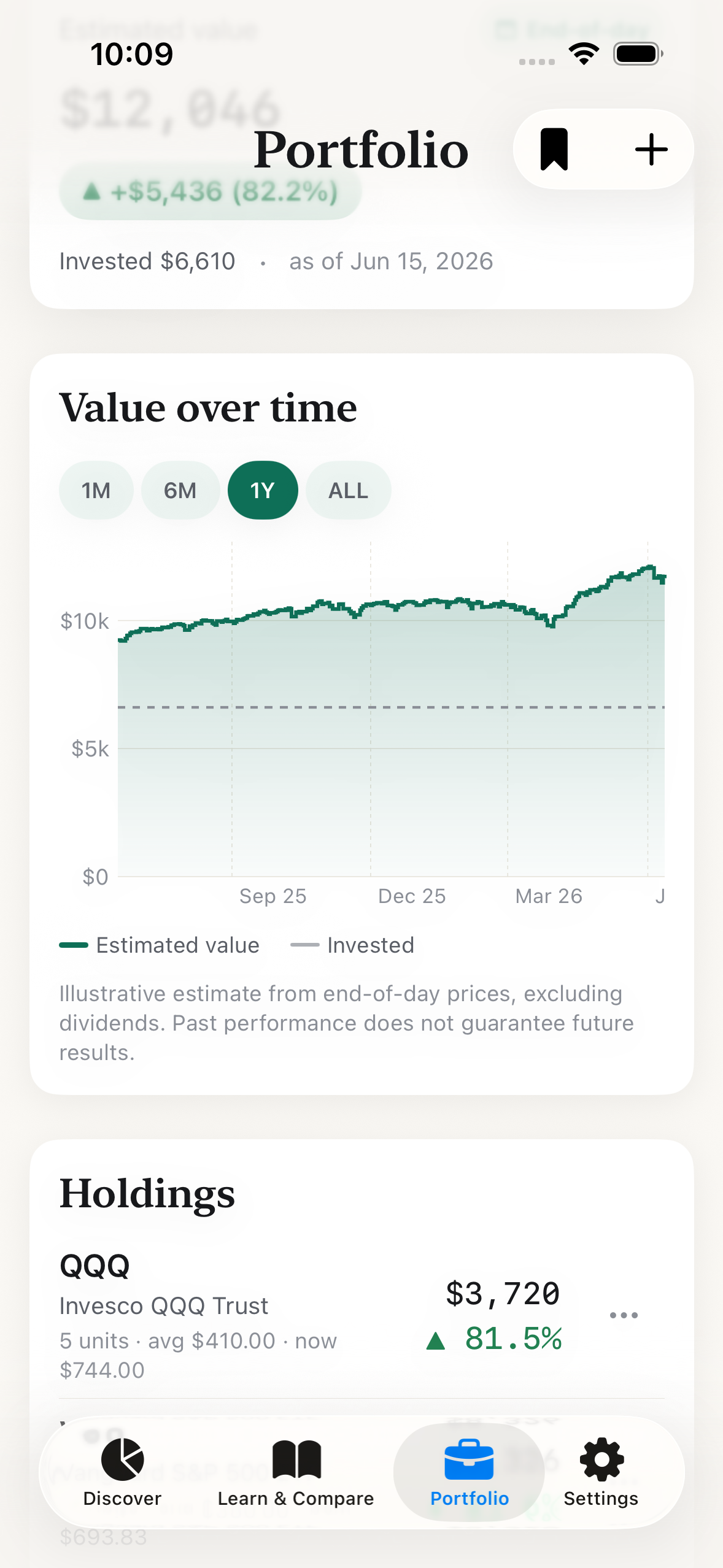
Add the ETFs you own, with units and average cost, or let an end-of-day price fill in the figures for you. WhatETF puts your estimated value, your allocation, and how it has changed over time in one calm, read-only view.
- Value over time, charted from end-of-day prices and stamped with the close it's "as of."
- Allocation, returns and a money-weighted XIRR figure, broken down by fund, all clearly illustrative.
- A transaction ledger and a DCA estimate, to learn how regular investing could add up.
Read-only and educational, not advice. Figures are estimated from end-of-day prices, not real-time, and never an instruction to buy or sell. Past performance does not guarantee future results.
What WhatETF reveals
Everything WhatETF reveals about a fund, so you can decide with your eyes open.
Matches that fit you, not a sales list.
Answer a few questions and WhatETF shows funds that fit the risk profile you set, never a "hot picks" list, never a nudge to buy. Educational matches, built around you.
See exactly why. No mystery rankings.
Every match opens a factor-by-factor breakdown, Category fit, Risk match, Expense ratio, Size & liquidity, Diversification, Goal alignment, that adds up to the score you see. Nothing hidden.
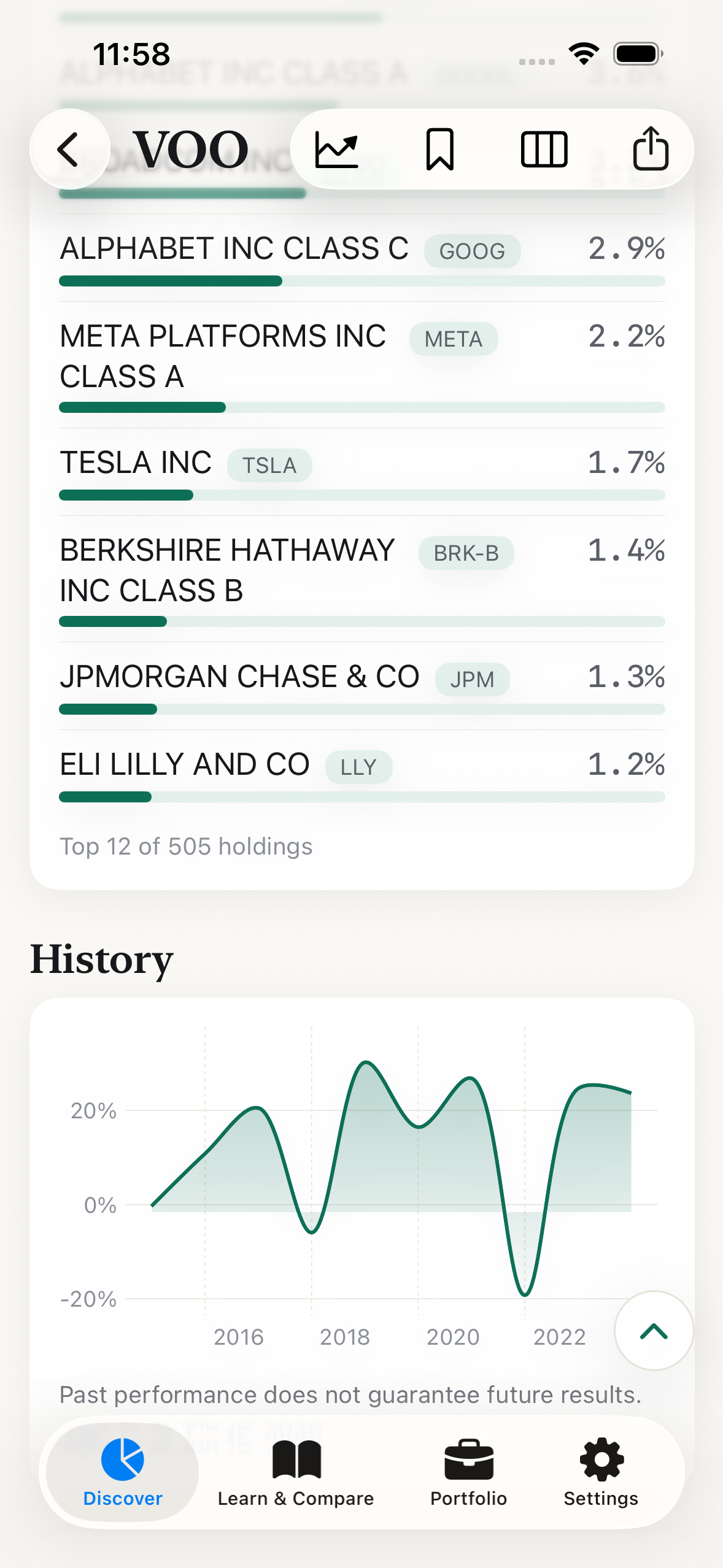
Open the black box.
See what's actually inside a fund, the real holdings, not a vague label, alongside its multi-year price history. Finally know what you'd own.
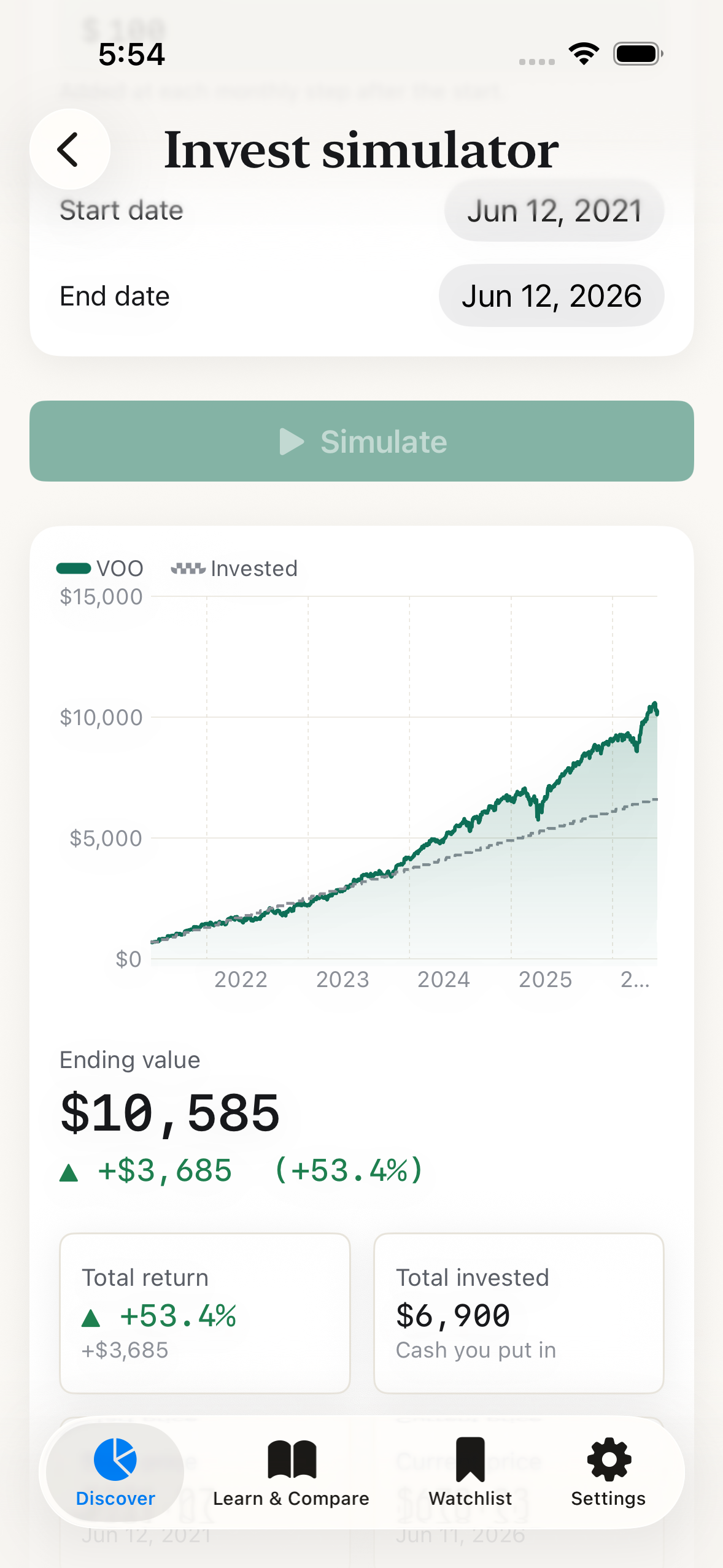
"What if I'd invested?"
Pick a fund, an amount, and a date, and see how that amount could have grown over time, clearly illustrative, for learning.
Past performance does not guarantee future results.
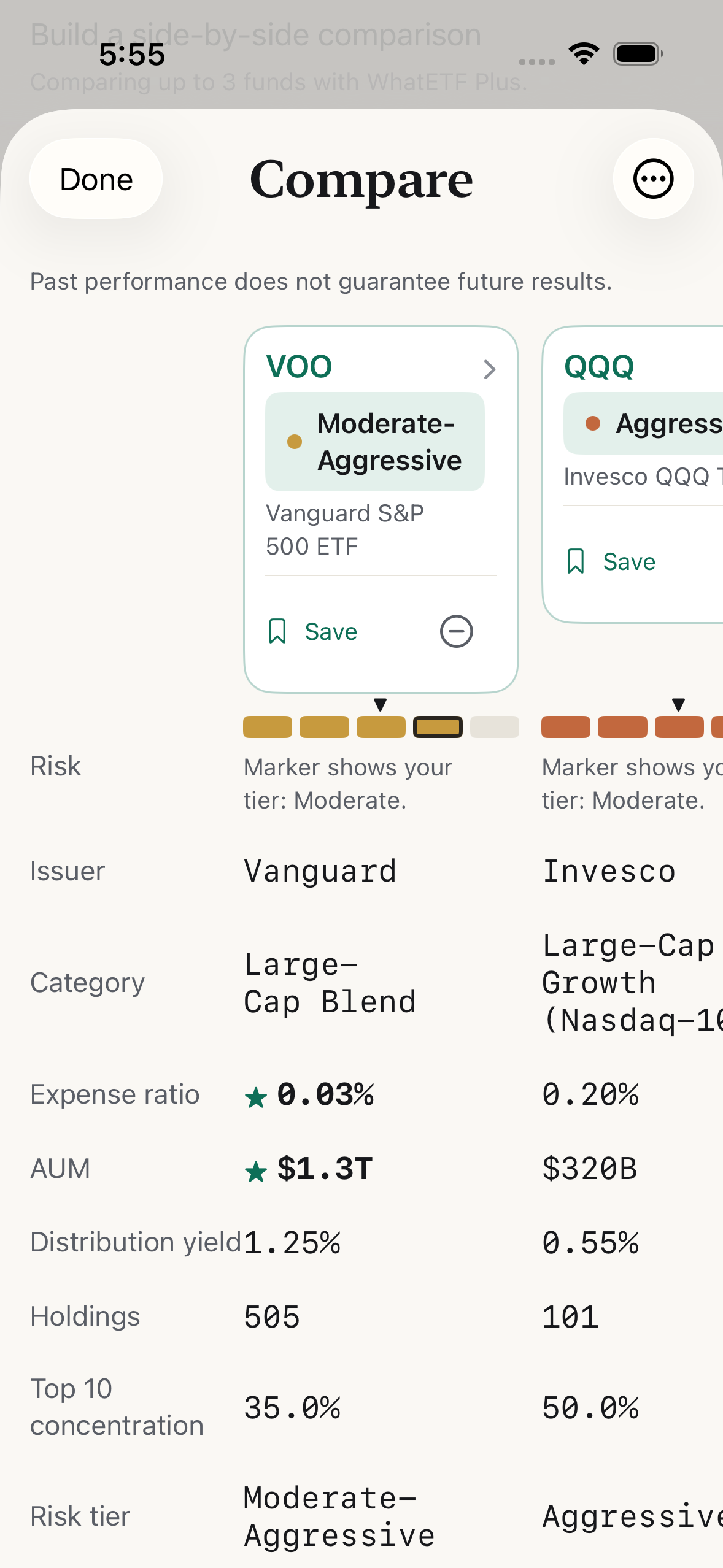
Weigh funds side by side.
Line two or three funds up in one view, fit score, expense ratio, size, and category, row by row, so the trade-offs are obvious.
See the whole story.
Multi-year price history laid out clearly, watch how a fund has actually behaved over time.
Keep an eye on what you're learning about.
Save funds to a watchlist and see how they moved at end of day.
Finally understand the jargon.
A Learn hub and searchable glossary, plus tap-to-define for the terms that trip everyone up.
How it works
No black box. You can check our math by hand.
Answer a few questions
Reads your comfort and capacity for risk, combined conservatively.
Get your matches
A 0–100 score: a plain weighted sum of six named factors, on-device, instant.
See the why, and dig in
Factor reasoning, then holdings, history, and the simulator whenever you want.
We publish the recipe.
The full methodology lives inside the app, the exact factors, their real weights, and the rules (missing a number → drop that factor and rescale; never make a value up). No human adviser, no broker, no hidden ranking. Transparent, reproducible logic you can audit.
Straight about the data.
Prices and statistics are end-of-day, never streaming, never real-time, and the "data as of" date is shown throughout. Holdings are factual, never fabricated.
How it compares
Built for understanding, before trading.
| Capability | Buying blind | A pro screener / data terminal | WhatETF |
|---|---|---|---|
| What you walk away with | A guess | Rows of numbers | Understanding |
| Tells you why a fund fits | — | Rarely | Yes, factor by factor |
| Shows what's actually inside | — | Sometimes | Yes, plainly |
| Pushes you to trade | Often | Sometimes | Never |
| Reads the jargon for you | — | No | Yes |
| Your data | — | Account required | Stays on your iPhone |
WhatETF isn't a brokerage and isn't an adviser. Nothing to trade, no account to open, no one nudging you. A calm place to learn, the rest is up to you.
Everything in one app
One app for the whole ETF picture, on your iPhone.
Live end-of-day prices, full fund holdings, multi-year history, a Learn hub, a watchlist, and a read-only Portfolio that tracks your value over time. It's all here, no account, nothing to sign up for.
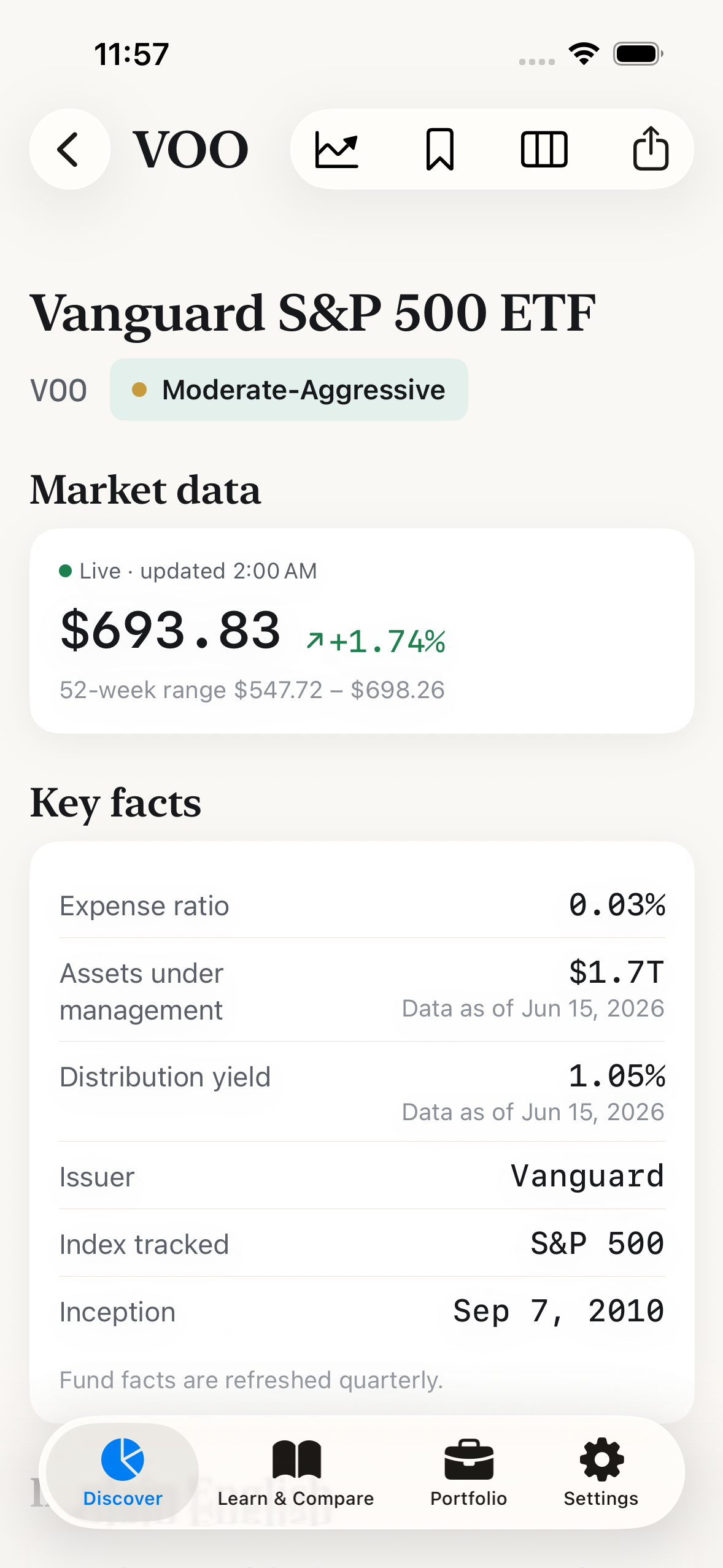
Live end-of-day prices
Up-to-date daily closes and fund statistics, each stamped with the date the data is "as of."
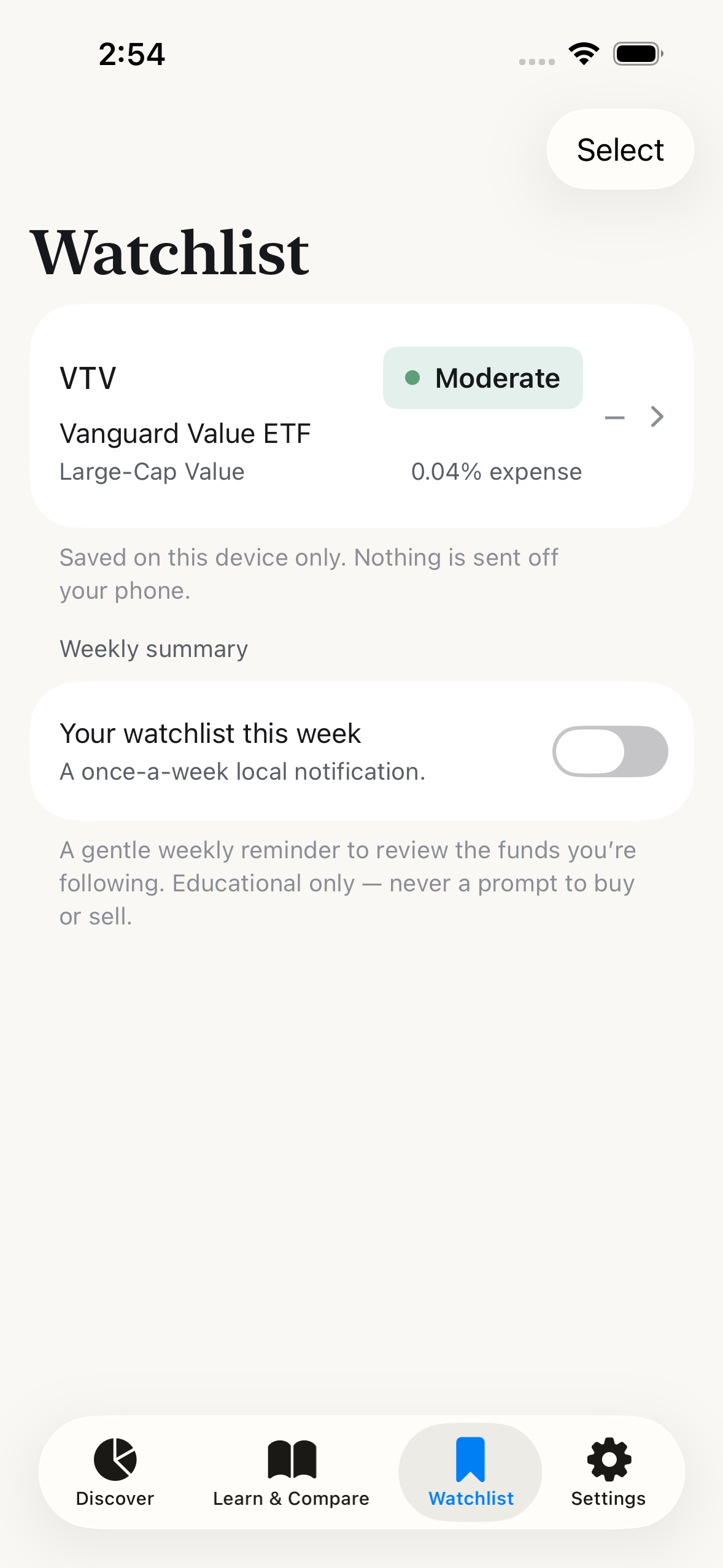
A watchlist you control
Save any fund and follow how it moved at end of day. No alerts to trade, just the funds you're learning about.
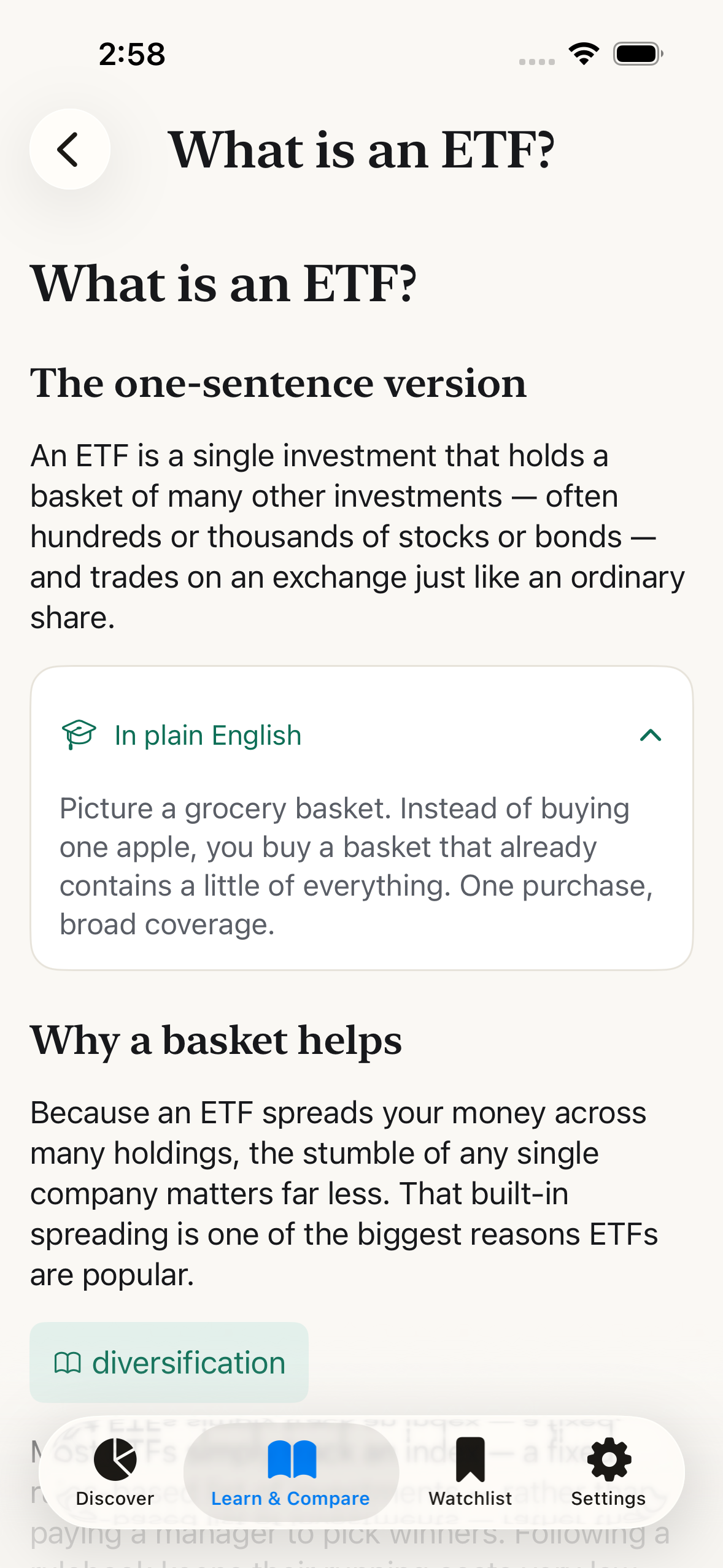
Learn the jargon
A Learn hub and searchable glossary, plus tap-to-define for the terms that trip everyone up.
Questions
A few honest answers.
Is this financial advice?
No. It's an educational tool. It doesn't recommend buying or selling anything, isn't a broker or adviser, and doesn't consider your full situation. Matches and model mixes are illustrative, for learning.
Is the data real-time?
No. Prices and statistics are end-of-day, not streaming or tick-by-tick, and we show the "data as of" date throughout. Portfolio and simulator figures are estimated from those end-of-day closes. Offline, you'll see your last-synced numbers.
Is my data private?
Yes, no account or sign-up; your profile and saved funds stay on your iPhone.
How does the Portfolio tracker work?
Add the funds you hold, with units and average cost, or let a smart end-of-day price prefill the figures, and WhatETF shows an estimated value, your allocation, value over time, and a returns breakdown (including a money-weighted XIRR figure). It's read-only and educational: it never links to a brokerage, never places trades, and never tells you to buy, sell, or rebalance. Every figure is estimated from end-of-day prices and stamped with the date it's "as of."
Where does the data come from?
A curated dataset of US-listed ETFs, plus live end-of-day prices, multi-year price history, and real fund holdings from our market-data service. Holdings are factual, we never fabricate them, and every figure is stamped with the "data as of" date.
What can WhatETF do?
Build your risk profile and surface matching funds, show exactly why each one fits factor by factor, open up the real holdings inside a fund, chart multi-year price history with live end-of-day prices, track the funds you hold in a read-only Portfolio with an estimated value, allocation and value over time, run the "what if I'd invested?" simulator, compare funds side by side, keep a watchlist, and explain the jargon in a Learn hub and glossary.